Build Your
Family Tree Legacy

Create, manage, and preserve your family hierarchy with secure OTP-based access. Connect generations, chat with family members — all in one trusted platform.

OTP Login

Mobile Verified

Child Safety

Guardian Controlled

Family Chat

Stay Connected

No Ads

Family First
MeraParivar App
Getting Started

How MeraParivar Works

Simple, secure, and family-focused. Get started in just a few easy steps.

1

Enter Your Mobile Number & Verify OTP

Open MeraParivar and tap "Get All Profiles". Enter your registered mobile number and verify your identity using the OTP received via SMS or WhatsApp. This is your secure entry point into the app.

Your mobile number is your key — no username or password required to get started.
2

View All Profiles Linked to Your Number

Once OTP verification is complete, all profiles associated with your mobile number are displayed on screen. Simply select the profile you wish to access.

Multiple family profiles linked to your number — all visible at once for quick and easy selection.
3A

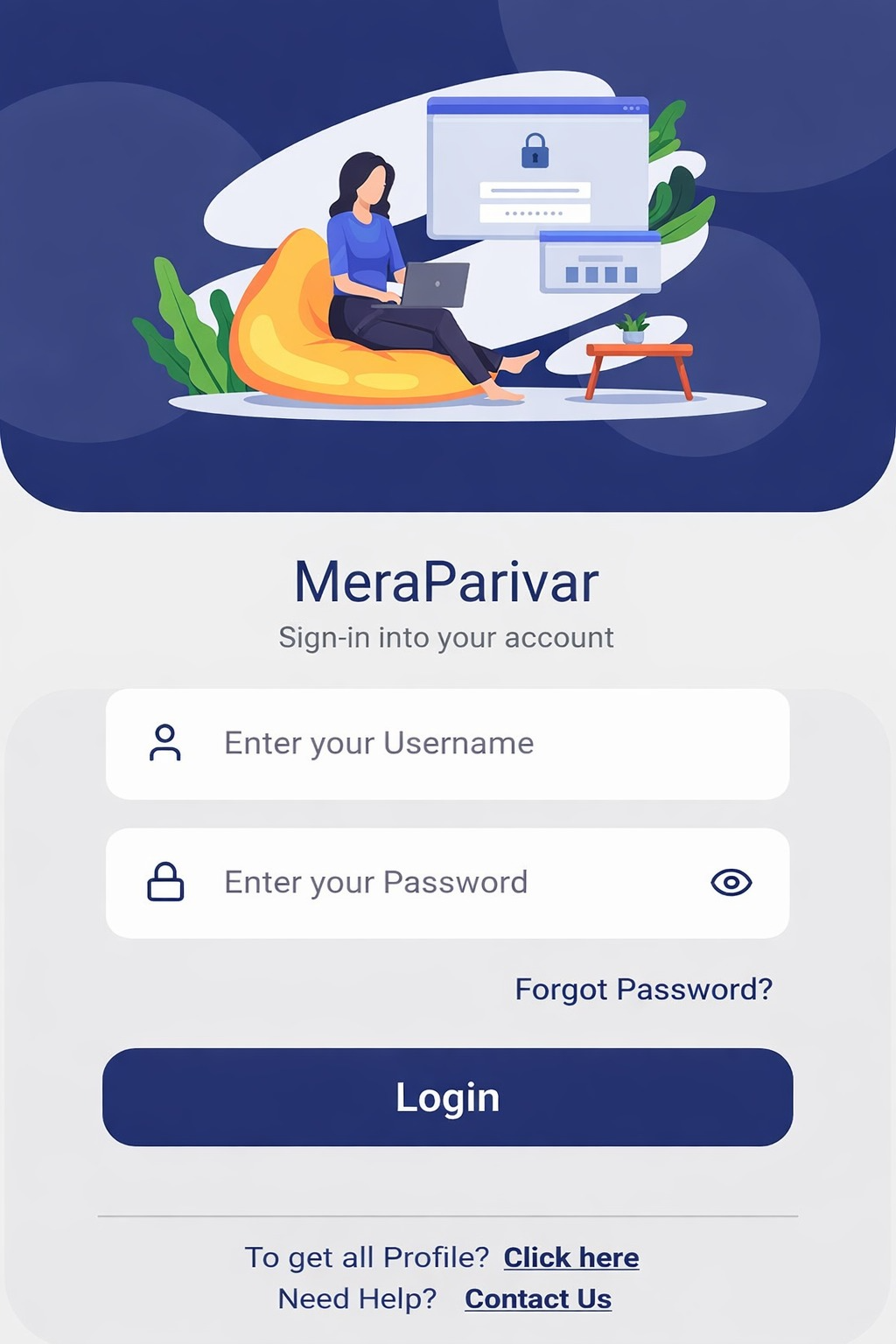
Login, Reset Password, or Create a New Profile

After selecting a profile, choose the action that applies to you:

  • Remember your password? — Log in directly to your Dashboard.
  • Forgot your password? — Use the Forgot Password option to reset it securely.
  • Want to create a new profile? — Select your relationship with the listed profiles, fill in your personal details, set a username and password, and proceed directly to your Dashboard.
When creating a new profile, first select your relationship with the existing listed profiles, then complete your personal details.
3B

New User? Complete the Signup Form

If no profiles are linked to your mobile number, you will be automatically redirected to the Signup Form as soon as your OTP is verified. Fill in your personal details, set a username and password, and start building your family tree right away.

First time here? No problem — the Signup Form opens automatically for new users.
4

Explore Your Dashboard & Chat with Family

After logging in, you land directly on your personal Dashboard. Manage your family tree, add new members, and use the Family Chat feature to message any family member directly — everything in one place.

Family Chat enables real-time private messaging exclusively between verified family members.
Core Features

Everything for Your Family

Powerful tools to create, manage, and preserve your family legacy.

Hierarchical Family Tree

Create structured family trees with clear parent-child relationships. Visualize multiple generations and maintain accurate family records.

Multi-Profile Access

One mobile number can be linked to multiple family profiles. All associated profiles are displayed after OTP verification for easy and quick access.

Family Chat

Send private messages to any family member directly within the app. Real-time messaging that is strictly family-only — no outsiders, no spam.

Child Protection

Children cannot create independent accounts. All child profiles are created and managed exclusively by verified adult guardians who retain full control.

My Profile

Manage your personal details, update your photo, and keep your family information accurate. Your profile is visible only within your verified family network.

Family Requests

Send and receive connection requests to link with family members already on MeraParivar. Every connection is mutually verified — no unknown contacts can enter your family network.

Change Password

Update your account password securely at any time directly from within the app. Full control over your account security — simple, quick, and always available.

Find Relation

Discover exactly how any two members in your family tree are related to each other. Instantly understand complex multi-generational relationships with one tap.

Hierarchy Chart

Visualise your entire family structure in a beautifully organised chart. Navigate across generations, explore branches, and see your complete family at a glance.

Profile Photos

Upload profile images using secure camera and storage access. Personalize every family member's profile with a photo.

Family History

Represent deceased members with dedicated icons. Preserve a complete family history spanning all generations.

Smart Notifications

Stay informed about family updates, new chat messages, OTP verification, and important events. No promotional messages — only what matters to your family.

In-App Support

Reach our support team directly from within the app at any time. Get help with your account, family tree, or any feature — fast, friendly, and always responsive.

Your Privacy, Our Priority

We apply reasonable technical and organizational measures to protect your family data from unauthorized access at all times.

Mobile OTP Authentication

Secure access via a One-Time Password sent to your registered mobile number — simple, fast, and reliable.

OTP via SMS & WhatsApp

Authentication codes are delivered instantly via SMS or WhatsApp for a smooth and secure login experience.

Private Family Chat

All messages are exchanged strictly between verified family members — completely private, secure, and confidential.

No Data Selling

We never sell, rent, or share your personal information with any third party for commercial purposes.

Guardian Control

Parents and guardians have full authority to view, edit, or permanently delete their children's data at any time.

No Ads to Children

We do not display interest-based advertisements to children, nor do we use any advertising SDKs that collect data from minors.

Your Control

Your Data, Your Rights

Complete transparency and control over your family's information. We believe in empowering every user with full authority over their personal data.

Your Rights

Take full control of your personal data

Access Your Data

View all personal information we hold about you at any time, from anywhere.

Instant Access

Correction Rights

Request updates or corrections to any inaccurate information stored in your profile.

Real-time Updates

Right to Delete

Request complete and permanent deletion of your profile and all associated personal data.

Permanent Removal

Data Portability

Download a complete copy of your personal data in a portable and readable format.

Export Anytime

Guardian Rights

Protect and manage your children's data

View Child Information

Access and monitor all information stored within your child's profile at any time.

Full Visibility

Update & Modify

Edit or update your child's profile information, details, and account settings whenever needed.

Complete Control

Delete Child Data

Request the immediate and permanent removal of all data associated with your child's profile.

Instant Removal

Account Authority

Guardians hold full parental authority over child account creation, access, and ongoing management.

Protected

Your Privacy is Our Promise

We process all data requests within 30 days and maintain complete transparency throughout the entire process.

100%
Data Transparency
24/7
Request Support
30 Days
Max Response Time

Compliance Standards

This Privacy Policy complies with the following regulations & frameworks

Information Technology Act, 2000 (India)

India's primary law governing electronic commerce, cybercrime, and digital data protection, including rules on sensitive personal data.

Google Play Store Developer Policies

Google's mandatory guidelines covering data safety, user privacy, and content standards that all Android apps must follow.

Apple App Store Review Guidelines

Apple's rules for iOS apps on data collection, user consent, privacy nutrition labels, and safe app behaviour.

DPDP Act, 2023 (India)

Digital Personal Data Protection Act — India's modern data privacy law mandating consent-based data processing, children's data protection, and users' rights to access, correct, and erase their data.

Legal

Privacy Policy

Last updated: 17 February 2026 · We believe in complete transparency about how we handle your family's data.

What We Collect

  • Personal Info: Name, date of birth, gender, email, address, father's name, mother's name, pincode, caste, occupation, and profile photo
  • Contact Details: Mobile number (used for OTP verification only)
  • Account Data: Username, family relationships, and profile selections
  • Chat Data: Messages exchanged between family members within the app
  • Device Info: Camera & storage access (only when uploading profile photos)
  • Usage Data: In-app interactions used to improve functionality and performance

How We Use It

  • Authentication: Verify user identity via mobile OTP and manage secure profile access
  • Family Tree: Build, display, and maintain your family hierarchy
  • Family Chat: Enable private real-time messaging between verified family members
  • Notifications: Send family updates, chat alerts, birthday reminders, and OTPs only
  • Support: Respond to user queries and service requests
  • Improvement: Analyse usage patterns to enhance app performance and user experience

Who We Share With

  • SMS/WhatsApp Providers: Solely for the purpose of delivering OTP messages
  • Cloud Storage: Secure servers used for hosting user data and chat messages
  • Legal Authorities: Only when required by applicable law or court order
  • Never sold to advertisers, marketers, or any third parties
  • No advertising SDKs — zero data tracking of children
  • Chat messages are never shared, accessed, or disclosed outside your family